

Digital Smart Pen and Writing Board Set, Real-time Sync for Digitizing, Convert to Text,Storing, and Sharing Paper Notes, Compatible with Smartphone (Android and iOS)
$11.99
Related Products






From the brand


Welcome to Ophayapen official!
Ophayapen have been specializing in research and manufacturer smart pen for years.
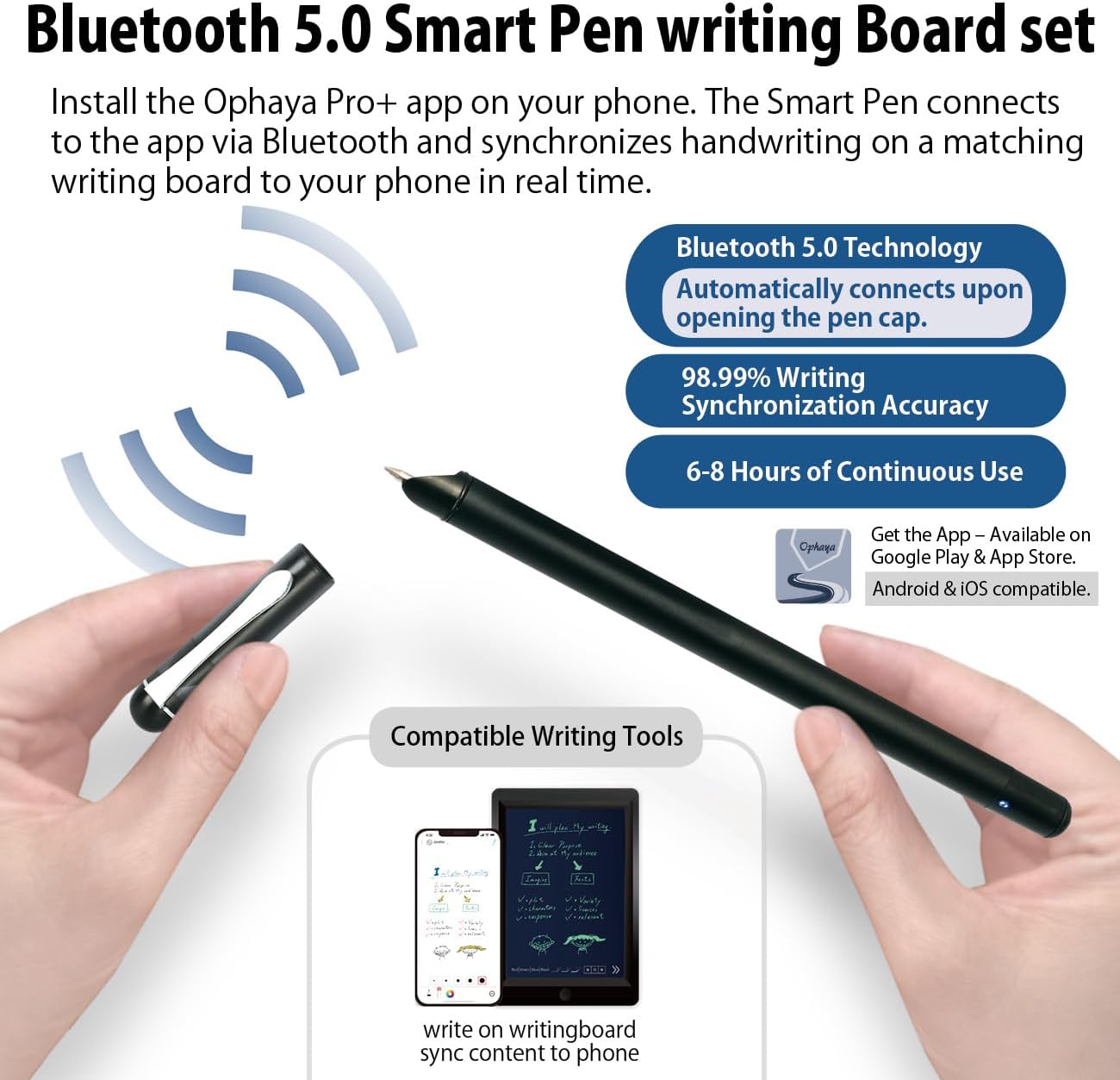
The Smart Pen Set integrates traditional writing with digital, captures handwritten notes on specialized paper or board, instantly syncing them via Bluetooth to the Ophaya pro+ App on smartphones.
Convert ideas into editable digital formats, organize notes, and share across App. Ideal for students and professionals.
Four Smart pen Combo Packages
Replacement-Paper/Pen Refills

Smartpen+Notebook+Board Set
What’s in the box1x smart pen, 1x A5 dot-code notebook(60sheets), 1x writing board, 4x ballpoint refills, 2x plastic Pen Nib, 1x charge cable, 1 x manual

Smartpen+WritingBoard Set
What’s in the box1x smart pen, 1x writing board, 2x plastic Pen Nib, 1x charge Cable, 1x manual

Smart Pen + Mini Notebook Set
What’s in the box1x smart pen, 1x Mini Notebook, 2 x ballpoint refills,1x charge Cable, 1 x manual

Special Paper Notebook
The smartpen connects to the app to digitally capture your writing on Paper Notebook.

Special Writing board
The smartpen connects to the app to digitally capture your writing on the writing board.

Replacement paper refill
The smart pen+notebook+board set includes a PU notebook with 60 sheets of special paper refill. Once the inner paper is used up, you can purchase replacement refills at our amaozn ophayapen store (Note: Ophayapen smart pens are only compatible with Ophayapen-branded paper)

Replacement pen refill
The set includes 6 pen refills. Once the pen refill is used up, you can purchase replacement refills at our amaozn ophayapen store (Note: Ophayapen smart pens are only compatible with Ophaya-branded pen refill).
Is it possible to operate the described functions on the writing board?
No, the writing board is just an alternative to paper writing tool, you should use the smart pen Bluetooth connect to the APP, and the content what you write on the writing board will be synchronized to the APP, and then all the functions need to be operated on the APP.
Is there a fee for the APP?
Hello, no need, APP is free!
Can this smart pen be used with any paper or other product?
Only support any Ophayapen branded products
【Free APP-Ophaya Pro+】 Instantly Sync,Effortlessly Captures handwritten notes on paper notebook/board and drawings with precision, synchronizing them in real-time to your phone with the Ophaya Pro+ app(Suitable for iOS and Android smart phone), the set include 1x smart pen, 1x writing board 2x Plastic Pen Nib, 1x Charging Cable, then implement the following features via the app:
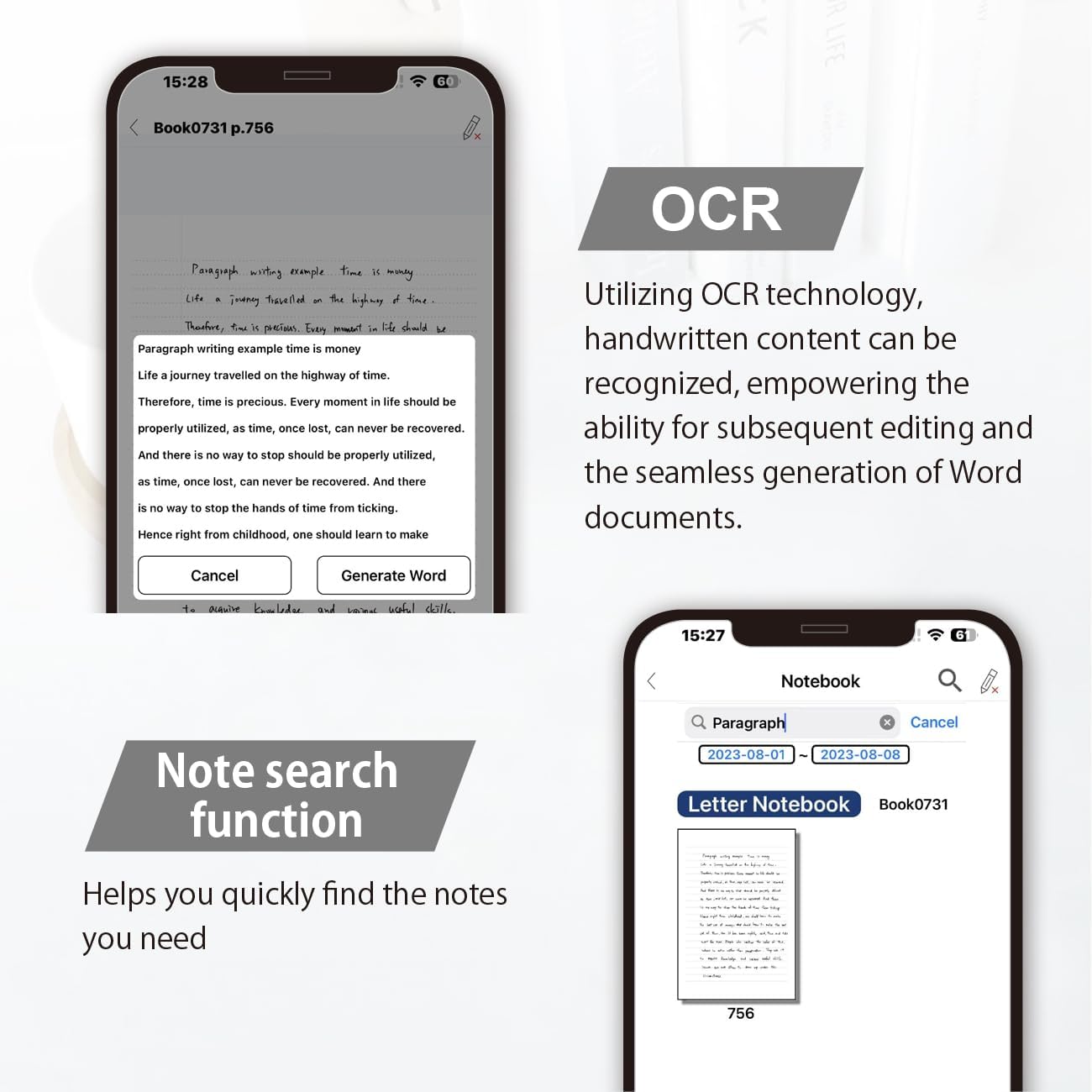
【OCR Handwriting Recognition/Searchable】Handwritten text can be converted to digital text, which can then be shared as a word document. Handwritten notes can be searched by using keywords, tags.,making it easier to find specific information.
【Multiple note file formats for storage and sharing】 PDF/Word/PNG/GIF/Mp4 (Note: Multiple PDF and png files can be combined before sharing).
【Audio Recording】After successfully connecting the smart pen to the app, you need to enable the recording feature in Ophaya Pro+ App, or notebook’s/writing board’s control. The phone’s microphone will capture audio while you write, and you can then click the playback button in the app to review or download the recording.(NOTE:The smart pen itself does not have a built-in recording function. )
【Offline Storage】This feature allows you to continue writing and saving content even when not connected to your phone. Once reconnected, the saved content will automatically upload to the app, which is especially useful for preventing the loss of key information during work or class, helping you review important details later.
【Customizable settings】 Allow users to select different pen thicknesses, colors, and other personalization options in the app, enabling eraser functionality for editing and providing a better writing experience.
12 reviews for Digital Smart Pen and Writing Board Set, Real-time Sync for Digitizing, Convert to Text,Storing, and Sharing Paper Notes, Compatible with Smartphone (Android and iOS)
Add a review

$11.99
Fr an –
This thing is crazy good
My daughter absolutely loves this product. She has taken numerous notes with this and has transferred her notes for printing. The Smart Writing Board and smart pen are excellent. The setup was effortless. The battery life is very long.Overall, this is still a great buy! I am very glad I got this set.
Kindle Customer –
Cheap and Ineffective
Does not work effectively.
Poppa Ace –
This set actually works!!
Easy to figure out. Recognizes even my crappy handwriting. Saves to a really old version of word, but I run it thru Google docs and save from there, so no big problem.Really works well for me!
Peter Xie –
A Nice Note Board for adults & Nice Drawing Board for children.
I often forget to bring something, and I really need a notepad for writing, but an ordinary notepad is not very useful to me, because I often forget to bring a notepad, but one can be synced directly to my phone. Notepad solves this problem very effectively, very nice, and very useful to me.In fact, this is also prepared for my baby who is about to be born. When it is older, I will use it to write and draw, and it will be permanently recorded in my mobile phone. It is very easy to use, hahahaha, but now I also like to use it. , because it makes me feel that recording “notes” becomes fun and convenient
Jerry Wang –
Good for taking note
Super lightweight, but the written trace cannot be cleaned completely at one time, I need to press clean button for many times.
Robert N Logan –
I gave it to my nephew.
Did not like it.
Lucy –
Very good electronic notebook.
My own feeling, this is a very good electronic notebook, no longer have to worry about finding notes. I only need to bring an electronic notebook for more classes. In the past, I put several notepads in my schoolbag, heavy and difficult to find notes, and now I use this electronic notebook, I don’t have to worry about these problems anymore.
Ranger –
Great Product
Arrived on time and was easy to use and set up. It was also packaged well. I use it all the time.
Andie –
I like this product, when you get yours, in order to clear the screen you have to pull out the plastic tab on the battery. C2032 or something flat battery is what we’ll need. Um. Notes are easy to make, great for “morning pages” from Julia Cameron’s “The Artists Way” … Can send the PDF to an email so there will always be a copy and no more buying notebooks. Or pens. Ophaya is looking to develop something like the rocket book. So look out for that. They are serious about saving paper.There is something wrong with mine, on the top right corner the film is coming loose.. just a little, but I tried using a sharp pen cap to force it down mm .. even if that doesn’t work, it’s a great product.
Farr Ghahremani –
This is more like a toy!
Peter –
Das Schreiben auf dem Pad ist gut und auch die Übertragung zum Handy funktioniert zunächst einwandfrei. Leider fängt es nach einer Weile an zu schmieren und auf dem Handy erscheint nur noch Gekrakel. Auch die Texterkennung ist nicht gut, man muss in Word dann noch viele Korrekturen vornehmen. Man kann auch nicht zurück, wenn man etwas ergänzen möchte.
Amazon-Kunde –
Das Pen kam schnell bei mir an. Das Schreibtablet ist aus Hartplastik und stabil. Die Handschrifterkennung klappt gut. Die Ophaya pro App funktioniert mit Android-Gerät und auf Apple-Gerät. Offline Nutzung ist möglich. Beim Synchronisieren sollte man darauf achten, dass die aktuelle Seite blanko ist, sonst wird die Seite doppelt beschriftet. Bei der Übertragung auf den PC können Zahlen häufig nicht richtig angezeigt werden (z.B. Datumsangabe). Die Übertragung wird als Worddokument gesendet und kann problemlos bearbeitet werden. Ich würde es mir wieder kaufen.