
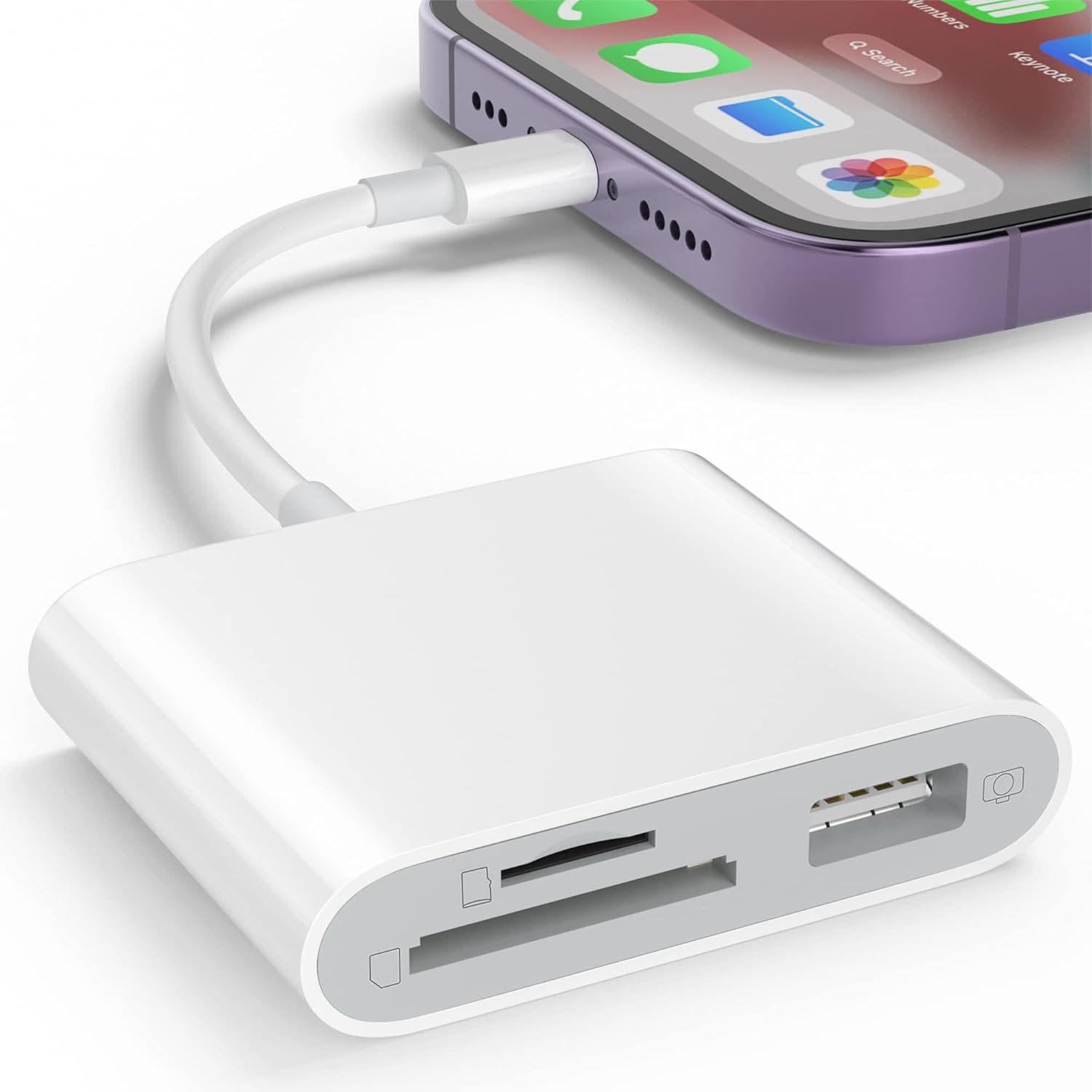
SD Card Reader for iPhone, Memory Card Reader with USB Camera Adapter Plug and Play Trail Game Camera Viewer Supports SD and TF Card MicroSD Card Adapter for iPad No App Required
$9.99
Related Products




Product description
Download photos and videos from camera to your iPhone anytime

Read files from digital camera, Dash Cam or Trail Camera
Having fun with your friends or family in the field and needs to share photos or videos quickly and easily
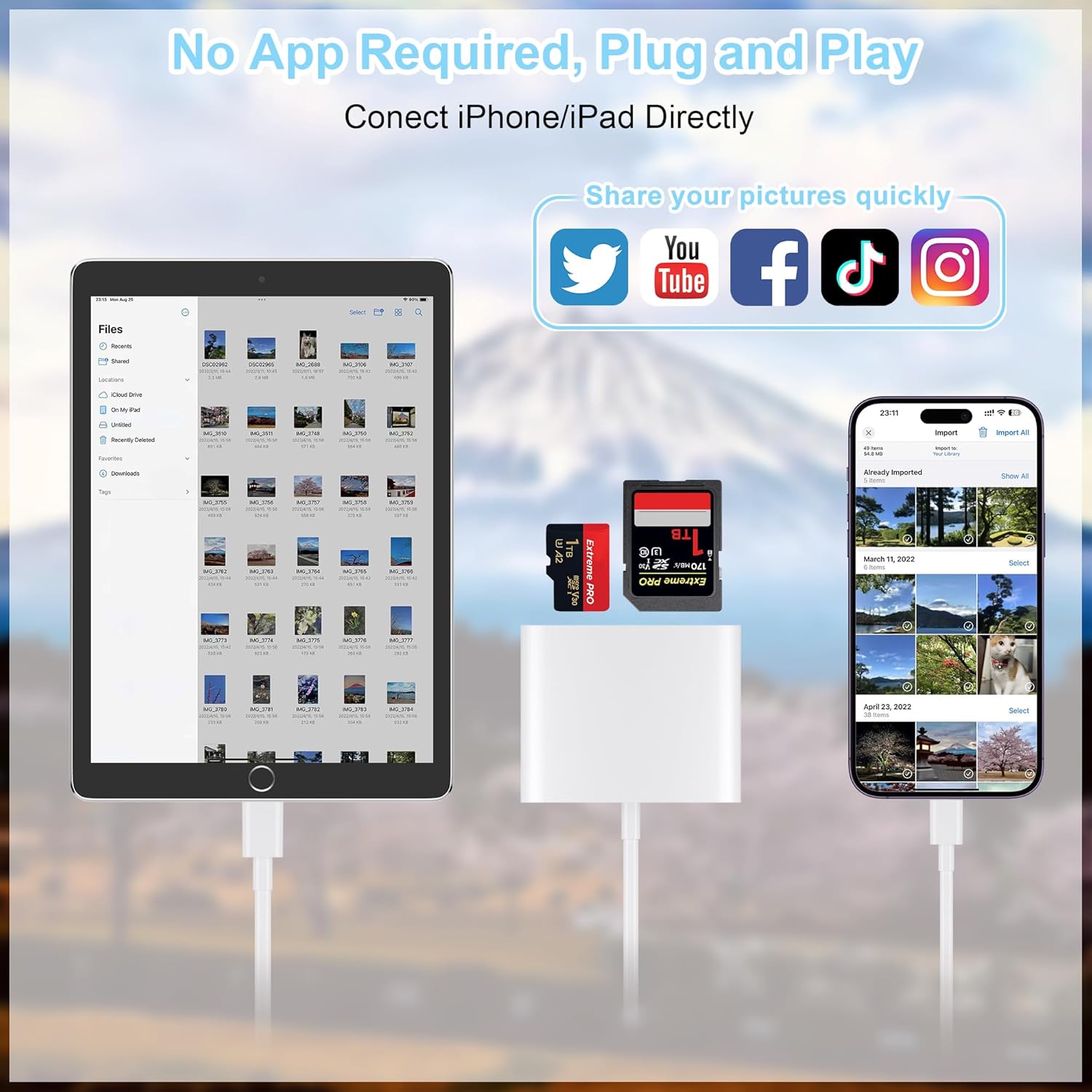
Using this card reader, you can read SD card or Micro SD card taken by digital camera, Dash Cam or Trail Camera and read the photos or videos soon.
You can share download it and share it with your friends or family.
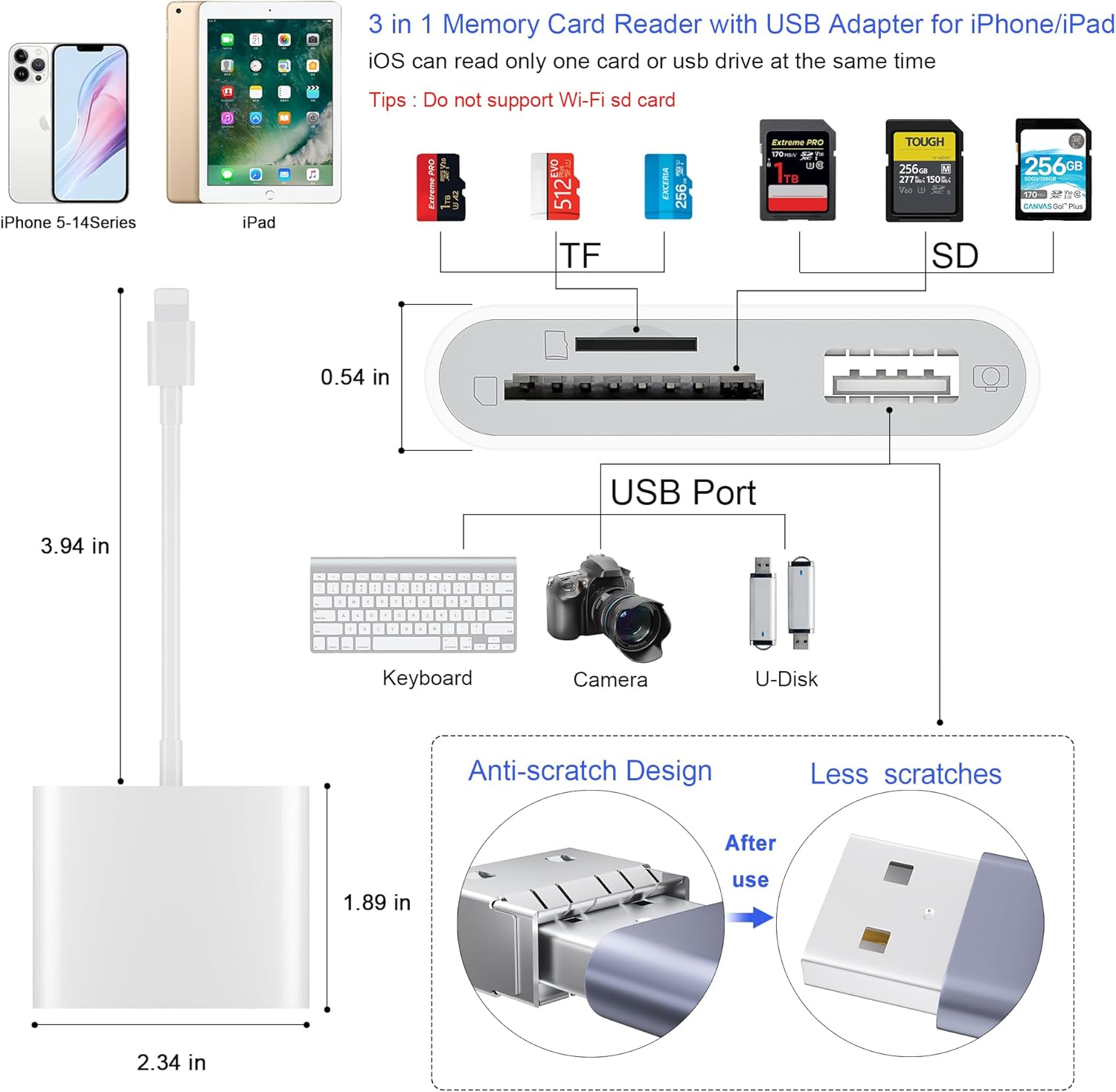
USB Adapter connets your iPhone with USB flash drive, keyboard, camera cable, etc

Connect your iPhone with lots of the products with the help of this adapter
How to connect your iPhone with your keyboard, USB flash drive, another iPhone/ iPad, digital camera?
USB flash drive
With this adapter, you can read the USB flash drive directly with your iPhone and don’t have to read it through a computer. Open “Files” app and you can read and manage the files in your USB flash drive.
Keyboard or mouse
You can also connect your keyboard or mouse with this adapter and type easily with your keyboard.
Connect with another iPhone/iPad
Besides, if you want to share the photos with another iPhone or iPad, you can use this adapter and connect it with another iPhone/iPad through a iPhone cable.
Digital Camera
You can also connect it with your digital camera through a cable go with the camera and read the photos in your camera directly.
Download photos from Memory Card to iPhone/iPad for User’s iOS between 9.2 to 12.5.7

One-way transfer for iOS user with iOS9.2 to iOS12.5.7
Photos App ( from iOS 9.2 to iOS12.5.7)
Photos app only manage photos and videos, no other data. And it is a one-way transfer which only allows photos from card to your iPhone.
1. Insert a memory card that contains photos or videos into the card reader. Turn on iPhone & iPad and attach the reader to the Lightning port.
2. On iPhone & iPad, select the photos and videos that you want to import. View the photos from Album and share it with your friends or family.
3. “Photo” APP can only can read photos or videos taken by digital camera. It will show nothing if photos or videos were not taken by digital camera. If you want to read other files, or photos and videos were not taken by digital camera, please upgrade your iOS to 13 or later and follow the instruction of next page.
Download photos from Memory Card to iPhone/ iPad for User with iOS 13 or later

Two-way transfer for iOS user with iOS 13.0 or later
Files App ( iOS 13 or later)
Files app is an important app which can transfer files between your memory card to your iPhone & iPad.
Data from your iPhone is “on my iPhone” and data of memory card is on “Untiled” (or “NONAME”, which is the name of your memory card)
You can view data and transfer the data between memory card and iPhone.
Files app not only manager can videos and photos, but also manage music, PDF, word, or Excel, etc.
1. Insert a memory card into the reader. Turn on iPhone & iPad and attach the reader to the Lightning port.
2. On iPhone & iPad, open “Files” app. You can view the files in your memory card. You can view most files like jpg, MP3, word, excel, ppt and so on. If you can view the files but can’t open it, you may need to download a third-party app to read this file.
3. You can delete files or copy and paste files from memory card to your iPhone or iPad. Or coy files from iPhone or iPad to memory card.
4. If you can see the data, but not able to open it, you need to download a third-party App to open it.
What can I do if I see nothing on my iPhone?
1. If you don’t see anything, don’t worry. App won’t pop up automatically, please access “Files” App. Then you will see “On My iPhone” which is the data on your iPhone. If you connect a USB flash drives, or a SD card or a TF card to your iPhone through this adapter, “Untitled” or “NONAME” will be shown below “On My iPhone”. “Untitled” or “NONAME” are the default name of most memory card. If your memory card were named “ABC”, you will see “ABC” there. Just tap “ABC” you will see what’s inside your memory card.
2. When you get inside “ABC” folder, you have three choices at the bottom of the screen. “Recents”, “Shared” and “Browse”, make sure you choose “Browse”. Other two choice is not what’s in your memory card.
3. If there is no “Files” App, please download it from App Store. “Files” is an App in your iPhone, usually you don’t have to download it.
4. If you still see nothing, make sure the memory card is correctly inserted into the slot. You can check the video if you have no idea how to insert a memory card. The memory card must be Fat32 or exFat format. If NTFS, iPhone will not be able to recognize it.
5. You can view most files like jpg, MP3, word, excel, PDF, etc. directly and read them without any problem. However, if you can see some data there but can’t open it, you need to download a third-party app to read this file. It is the same thing as what’s happening in your computer, if you don’t have a MP3 player, even you have a MP3 file in your computer, you click it and it will not able to be played.
6. Make sure your iPhone is between 5 to 14. iPhone 15 and 16 are with another connector and this product cannot connect it.
[Tool for photographer]: It is a Photography Accessories for Canon Nikon SLR Digital Camera. No App to be downloaded. 5 seconds after inserting the memory card and connecting with the iPhone, click ‘Photos’ APP and find ‘Import’, then import video and photos from memory card to your iPhone or iPad.
[Accessories for iPhone with Dual Card Slots]: This SZHAIYIJIN Memory Card Reader for iPhone Support SD Card and TF Card, Secure Digital (Standard SD/SDHC) and Micro SD(TF) card. Do NOT Support Wi-Fi SD Memory card.
[The Female USB Interface]: Lightning to USB adapter has the Female USB Interface is a OTG Camera Adapter for iPhone &iPad, supports Digital camera, SLR Camera, The USB camera adapter does not require an application, and there is no need to remove the camera’s memory card. You Can also plug the USB Flash Drive, Card reader, USB Headphone, Electric Guitar, MIDI keyboard, etc. (The maximum current of the peripherals does not exceed 500 mA). Not Support the Printer and Hard disk drive.
[Two-way Transfer]: Two-way transfer suitable for iOS 13 -16 device. Import data from SD/TF card to iPhone/iPad, or export the file from iPhone/iPad to SD/TF card. Include Movies, Music, Word, Power point, Excel, PDF, etc.
[High Speed Data Transfer]: Support fast transfers standard photo formats, including JPEG, RAW, along with SD and HD video formats, including H.264 and MPEG-4. Easily and quickly transfer photos/videos to device and share images/videos of your camera to social media anywhere.
[Universal Compatibility]:The iPhone SD card reader Designed for iPhone between 5 to 14, Not for iPhone 15&16. It Compatible with iPhone 14/14 Plus/14 Pro/14 Pro Max/13/13 mini /13 Pro/ 13 Pro Max / 12/12 mini/12 Pro/12 Pro Max /11/11 Pro/XS/XS Max/XR/ X/8/8 Plus / 7/7 Plus / 6s / 6s Plus / 6/6 Plus / SE /SE2 and iPad Air / Mini / Pro with Lightning Port etc.
13 reviews for SD Card Reader for iPhone, Memory Card Reader with USB Camera Adapter Plug and Play Trail Game Camera Viewer Supports SD and TF Card MicroSD Card Adapter for iPad No App Required
Add a review

$9.99
Madi –
Shockingly handy little gadget I didn’t know I needed
This thing is honestly way better than I expected. I plugged it into my iPhone, shoved my SD card in, and boom — the Photos app just popped up like, “Hey girl, I got you.” No apps, no setup, no stress.I transferred a ton of photos and a few videos from my camera, and it didn’t glitch or disconnect once. It’s small, sturdy, and does exactly what it’s supposed to do without overthinking life — something I wish more electronics (and people) would do.Only tiny downside: it’s a little snug when you first plug it in, but it loosens up after a few uses. Other than that, it’s perfect for quick transfers when you’re on the go.If you take pictures and don’t want to fight with tech, just get it. It’s cheap, it works, and it made my life easier in under 10 seconds.
TraceyBKincaid –
Works perfectly for my phone
This SD card reader is super handy and works exactly as described! I used it to transfer photos and videos directly from my camera’s SD card to my phone, and it was fast, simple, and reliable. No extra app needed — just plug it in, and it starts reading right away.The build quality feels solid, and the connection is stable with no random disconnects. I really like that it also has a USB port for extra flexibility. It’s small enough to carry in my bag, so it’s perfect for travel or quick file transfers on the go.Definitely a must-have accessory if you take photos or work with files from SD cards often!
Amanda –
It really works… just one gotcha to be aware of…
This little thing is the bomb! I compete in several dog sports with my two dogs, Punk and Shout! I video all our runs with a 4K action camera (GoPro knock-off). The app doesn’t work with my camera, so the only way to scroll through the videos to delete files I don’t need is on the camera itself. It’s very time consuming to watch each video (1-5 minutes long) to see if I need to keep it or delete it. And there is no way for me to process the videos on my phone to post them to FB while at the competitions. So when I found this gadget, I was super stoked. We had a very big 3 day agility competition last weekend, and I was able to use this for the first time. I could easily identify the videos I wanted, download them to my phone, make movies with iMovie, and post them to FB to brag on my dogs. SO VERY HAPPY with the ease of use and reliability. It worked each time I connected it to my phone, it read the micro SD card consistently, it downloaded the videos as selected.I will warn you — do not use the files app your phone to delete videos from your card. Use the camera to do that. I tested it beforehand and only verified that the videos didn’t show up when I put the card back into the camera, assuming that the videos were actually deleted. Unfortunately, when I did this over the weekend, even though the videos seemed to be deleted, the file space on the SD card was not released. So, my 128G SD card filled up even though I only had 30 1G videos visible on the card. I missed filming one very important event because the camera shut off because the card was “full”. I had to use a different SD card (lower quality) for the rest of the trial. When I got home, the only videos I could recover from the card were the 30 videos, yet the card was still full, even after deleting those 40 files using my PC, the properties of the card still show it full of phantom videos. The only way I could recover all storage space was to re-format the card. So… just beware when deleting files using the Files app on your phone, it does not free up the space on the card EVER.As a backup plan, I ordered 2 more high-speed Micro SD cards, so I should not run out of space for another 3 day weekend. Overall, I love this little gizmo and will continue to use it A LOT!
Mark –
It’s fine. As advertised.
It’s goods. Works.
Aneuris adames –
Best product for transfer data to you iPhone
⭐️⭐️⭐️⭐️⭐️Great product! Works perfectly with my iPhone.I plugged it in and it recognized the SD card instantly with no app required. The transfer speed is fast, smooth, and the build quality feels solid. Very convenient for importing photos and videos directly from my camera or memory cards. Highly recommended!
vonnie –
⭐️⭐️⭐️⭐️⭐️ Works Perfectly!
This SD card reader for iPhone works great! It connects easily, transfers photos and videos quickly, and is super convenient to use. Compact, reliable, and perfect for on-the-go — highly recommend!
Corey –
Reliable, Easy, and Exactly As Described — A Must-Have SD Card Reader for iPhone Users”
I’m very glad I purchased this SD Card Reader for iPhone — it delivers exactly what it promises and has quickly become an essential part of my mobile workflow.⚡ Plug and Play SimplicityNo apps, no setup, no hassle. Just plug it into your iPhone or iPad, insert your SD or microSD card, and the Photos app opens instantly. It couldn’t be easier. I’ve used it to transfer photos and videos from my trail camera, game cam, and DSLR — all with zero issues.📸 Versatile and CompatibleIt supports both SD and TF (microSD) cards, making it perfect for a wide range of devices — from cameras to drones. It also works well with both standard SDHC/SDXC formats and high-capacity cards. The USB adapter port is an added bonus, allowing me to connect other peripherals like a keyboard or even a USB flash drive.🚀 Fast and Reliable TransfersFile transfers are quick and smooth, even for large video files. I’ve moved dozens of 4K video clips and high-res RAW images without delays or data loss. It’s a dependable tool whether I’m on the go or organizing footage in the field.📱 iOS FriendlyI’m impressed with how well this works with iOS. There are no annoying compatibility issues, and it integrates seamlessly with the built-in file and photo apps. Truly plug-and-play.If you need a reliable, portable SD card reader that works perfectly with iPhones and iPads, this is a fantastic choice. It’s affordable, well-built, and performs exactly as advertised. Great for photographers, hunters, content creators — or anyone needing quick access to memory cards on Apple devices.
Samira Carter –
Worth the money spent
It took some time to upload to my phone but it gets faster the more you use it. High quality. I feel like it is definitely worth my money. Small enough to fit in your pocket. Very easy to use. I would recommend this to someone else!
Thais gabriela –
Bom
Amazon Customer –
May just have a faulty one but the device isn’t recognisable on any iphone i’ve tried in either camera roll or files.
rowszee –
Works great. Was very pleased with the card reader and the price was really good!
Petra Aurora García andrade –
Lo compré para un viaje y muy buena opción para pasar fotos de mi cámara tomas mas prifecionesles a mi cel
Pésimo –
No funciona el producto