

NETGEAR Cable Modem DOCSIS 3.1 (CM1000) Gigabit Modem, Compatible with All Major ISP Providers Including Xfinity, Spectrum, Cox, for Cable Plans Up to 1 Gbps,Black
$28.99
Related Products





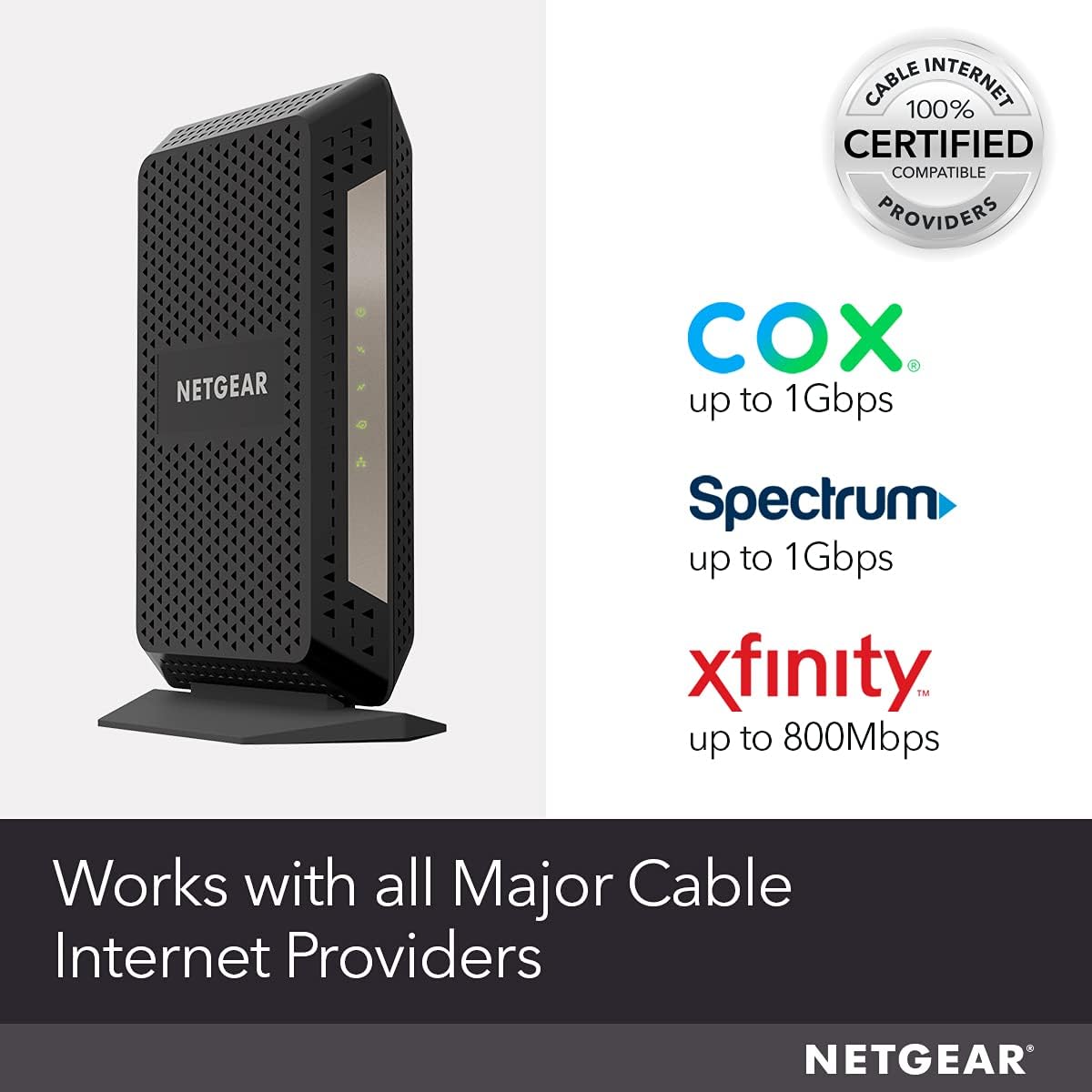


The CM1000 ultra-high speed cable modem, with speeds up to 1Gbps and DOCSIS 3.1 is 10X faster than DOCSIS 3.0 devices. It’s backward compatible with DOCSIS 3.0 and ready for future service plan upgrades. A Gigabit Ethernet port provides faster access and downloads. Plus, there are no monthly rental fees.
Compatible with all major cable internet providers with internet speed up to 1Gbps. Currently certified with Spectrum and Cox (up to 1Gbps), Xfinity (up to 800Mbps). Not compatible with Verizon, AT&T, CenturyLink, DSL providers, DirecTV, DISH and any bundled voice service
Model CM1000 replaces your cable modem saving you up to 168/year in equipment rental fees
Connect any WiFi router (separate unit) to this modem’s Ethernet port to support all your wireless devices
1 Gigabit Ethernet port connects to your computer or separate WiFi router
Made for use in the US only
3 reviews for NETGEAR Cable Modem DOCSIS 3.1 (CM1000) Gigabit Modem, Compatible with All Major ISP Providers Including Xfinity, Spectrum, Cox, for Cable Plans Up to 1 Gbps,Black
Add a review

$28.99
Scott j. Elphison –
Lightning-Fast Modem That Delivers
The NETGEAR Nighthawk CM2050V is a beast! Setup was quick, and speeds are insanely fast—perfect for gaming, streaming, and multiple devices. Multi-gig support ensures future-proofing, and Xfinity Voice works flawlessly. Reliable, powerful, and worth every penny.
Steven Gorman –
Easy to set up, good modem all around
Review of Netgear CM1000v2. I got a notice from my internet company, xFinity, that I should upgrade my old DOCSIS 3.0 modem to a newer 3.1 version. Even though my internet package only gets me up to 59Mbps, nowhere near the gigabyte speed offered by the new modems, I decided to replace my old modem anyway, since I was starting to get more internet outages over the past few weeks. I figured the older technology maybe wasn’t being supported as well on the network, and I had to keep resetting my modem and waiting for connectivity to come back again. Installation was pretty easy. 1. First, unplug old modem from power, cable and ethernet. 2. Plug all of those into the new modem and wait for all the lights to stay on, which can take up to 10 full minutes. 3. Go into the xFinity app on your phone, log into your account, then tap Account, Activate xFi Gateway or Modem, Your Own Modem, Start Activation, then follow prompts from there. You will need to enter the MAC address, which is printed on the bottom of the modem. It may take another 10 minutes after activation for you to have internet access. All worked well for me and there were no problems. Modem has been working flawlessly for the past few days since I set it up. As I said, my plan only gives me up to 59Mbps, and that has not increased with this modem. It will only increase if I change my plan to a higher speed plan. But, I have a newer technology modem now that is at least ready for future speed increases should I choose to pay for that, and this DOCS 3.1 modem may have better security and more compatibility with the xFinity network. Things I like about it: 1. It has an on/off button on the back. VERY handy for resetting the modem. Much more convenient than having to pull the power plug then struggle to get it plugged back in while in a tight, dark space behind the modem. Many modems do not have an on/off button. 2. The lights are easy to see, but not too bright. On my previous Arris modem, the lights were overwhelmingly bright and flashing, so much that you could hardly read what their function was. These lights are much better. 3. The form factor is good; thin and tall, with a sturdy base. Other note: Some reviewers have said this modem gets HOT. I don’t find that to be the case. It is warm, but not really any warmer than any other modem or streaming device I’ve had, especially one that is on 24 hours a day. Bottom line, this modem is a highly compatible modem for xFinity and all other cable systems, has an on/off button, good form factor, perfectly readable and not-too-bright lights, and is easy to set up.
Justin C. –
Long story short, it solved my issues, and allowed me to keep my fast 305Mbps internet.
This solved my issue. I have Comcast, and I have their 305Mbps plan, for some strange reason their own Modem/Gateway kept dropping me down to 150Mbps, sometimes down to 75Mbps, and I would have to call in and have Comcast send the modem a refresh signal. this was NON -STOP. After working with the local manager and a tech, we thought maybe trying a modem that was not suplied by them may help, Because I also MUST use their “Gateway” in Bridge mode to my router for the services that I use. Not no mention the WiFi In their equipment was always BAD.However, Since getting this installed, took about 15 min on the phone for Comcast to get registered and working, I have NEVER had an issue with losing my speed, or it dropping me to a slower profile, never had any interruption that was not caused by power, or other bigger outage. It just works and works very well. I talked to the Manager just the other day and informed him that this has solved all the issues that he came to my home to talk to me about. and he was happy and surprised at the same time. Because he did not think I would be able to keep the 305Mbps package at all. tried to tell me that they did not support it in my area, but with this modem it work perfect and never had an issue in the last few months since it has been installed. Also this will work with Comcast’s new 1Gbps speed that they offer using Docsis 3.1. in my area they only have a 50mbps upload with that package though. And I need more upload. but that is their problem and not the modem.On a side note, the only minor little complaint I have, is the LEDs on this are not very bright and are hard to see when you need to look at them, some people will probably like that as they do not want to see them, but for me it’s a slight inconvenience. Not enough of an issue to take a star away.Edit: I wanted to add that I am using the Netgear x10 router with this modem and that seams to be a perfect combination to get the most throughput of speed without adding lag time (ping time) to your connection. I was using another router and i had some issues with the throughput and extra lag. Also make sure the you use Cat5e or Cat6 between this modem and your router. and ONLY use Cat5e if it is a short 3 to 5 foot cord. the higher your speed is, you need better cables. Cat6 is going to be preferred, but 5e will work for short runs. If your have a set up like me and have some long runs going to switches or other equipment in your home, you should use Cat6 on those runs. other wise you will lose some of your speed. not much in the scheme of things, but if you need the low latency and the fast speed, then you need to use Cat 6 on those runs