

TP-Link ER605 V2 Wired Gigabit VPN Router, Up to 3 WAN Ethernet Ports + 1 USB WAN, SPI Firewall SMB Router, Omada SDN Integrated, Load Balance, Lightning Protection
$6.99
Related Products


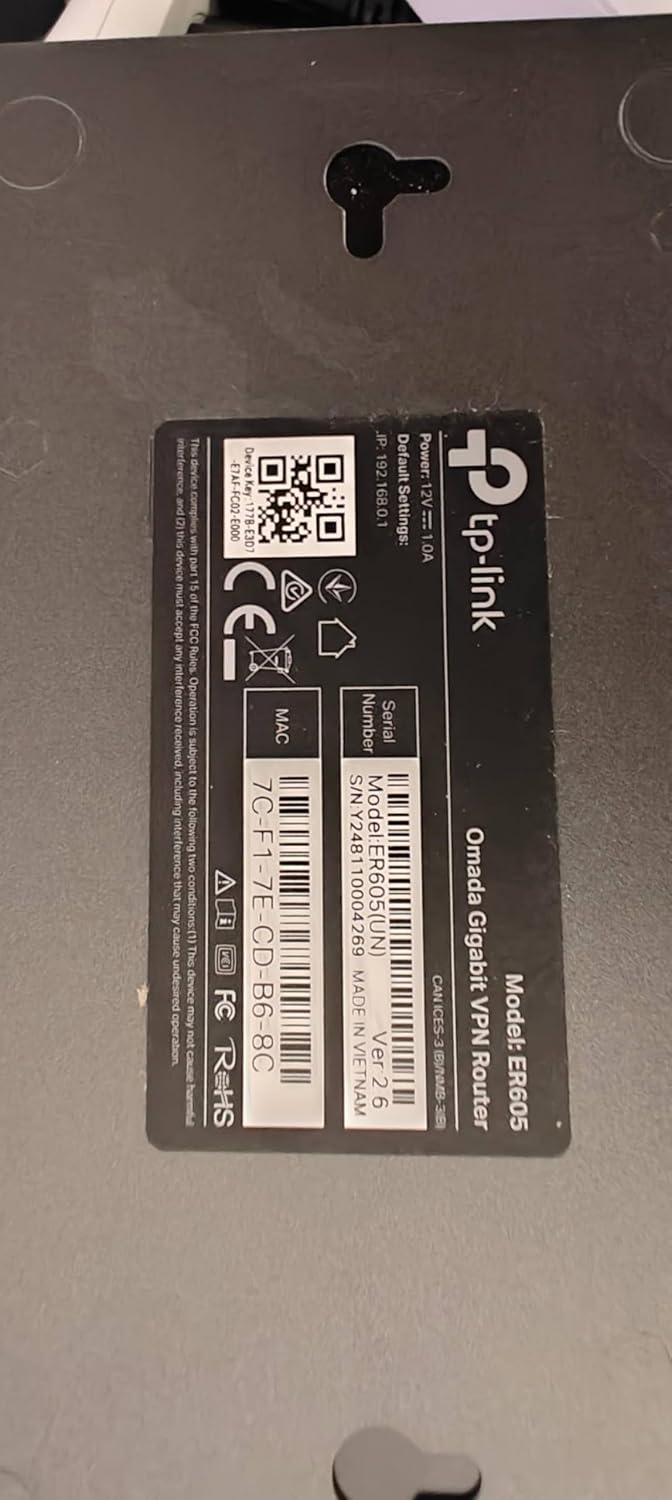


Multi-WAN Gigabit VPN Router with Omada SDN;The product is multiple voltage compatible, that voltage arrange is 100-240V.
【Five Gigabit Ports】1 Gigabit WAN Port plus 2 Gigabit WAN/LAN Ports plus 2 Gigabit LAN Port. Up to 3 WAN ports optimize bandwidth usage through one device.
【One USB WAN Port】Mobile broadband via 4G/3G modem is supported for WAN backup by connecting to the USB port. For complete list of compatible 4G/3G modems, please visit TP-Link website.
【Abundant Security Features】Advanced firewall policies, DoS defense, IP/MAC/URL filtering, speed test and more security functions protect your network and data.
【Highly Secure VPN】Supports up to 20× LAN-to-LAN IPsec, 16× OpenVPN, 16× L2TP, and 16× PPTP VPN connections.
Security – SPI Firewall, VPN Pass through, FTP/H.323/PPTP/SIP/IPsec ALG, DoS Defence, Ping of Death and Local Management. Standards and Protocols IEEE 802.3, 802.3u, 802.3ab, IEEE 802.3x, IEEE 802.1q
8 reviews for TP-Link ER605 V2 Wired Gigabit VPN Router, Up to 3 WAN Ethernet Ports + 1 USB WAN, SPI Firewall SMB Router, Omada SDN Integrated, Load Balance, Lightning Protection
Add a review

$6.99
Javier C. Cardoso –
The TP-Link ER605 V2 is not your average home router
TP-Link ER605 V2 Review: An Unbeatable Prosumer and Small Business Workhorse**The TP-Link ER605 V2 is not your average home router; it’s a dedicated wired VPN router that occupies a unique and valuable niche. For its remarkably low price, it delivers a feature set and reliability that far surpasses any consumer-grade all-in-one unit, making it an absolute essential for tech-savvy users, prosumers, and small businesses.**Designed for Performance and Reliability**Right out of the box, the ER605 V2 feels like a serious piece of hardware. Its all-metal casing aids in heat dissipation, ensuring stable performance during continuous operation. With five Gigabit Ethernet ports, its core functionality is incredibly flexible: you can configure up to three WAN (Internet) ports for load balancing or failover, and use the remaining LAN ports for your internal network. The inclusion of a USB port that can function as an additional WAN for a 4G/5G modem is a brilliant touch, providing a crucial backup internet connection for critical operations.**The VPN Powerhouse**This is where the ER605 truly shines. It supports a wide array of VPN protocols, including OpenVPN, L2TP/IPsec, PPTP, and notably, WireGuard®—a modern protocol renowned for its high speed and security. Setting up a secure remote access VPN for your home network is straightforward through the Omada controller software. You can securely access your network files, security cameras, or NAS from anywhere in the world as if you were locally connected. For a small business, it can easily handle dozens of simultaneous VPN tunnels for remote employees. The hardware-accelerated VPN performance ensures that you don’t suffer a massive speed penalty, a common issue with cheaper routers trying to handle encryption.**The Omada Ecosystem: A Key Consideration**It’s crucial to understand that the ER605 is designed to be managed. While it has a basic standalone web interface, its full potential is unlocked when adopted by a TP-Link Omada Software Controller (a free application you install on a PC or server) or a dedicated Omada Hardware Controller. This centralized management is a game-changer, allowing for seamless control of multiple Omada access points, switches, and routers from a single pane of glass. This makes network-wide settings like VLANs, firewall rules, and guest policies incredibly easy to manage.**Who Is This For?*** **The Advanced Home User:** Someone with a home lab, a NAS, IP cameras, or a desire for robust network segmentation and a reliable site-to-site or remote access VPN.* **The Small Business/Startup:** Needs a cost-effective, rock-solid gateway with multi-WAN failover to ensure uptime and VPN capabilities for a remote workforce.* **The Tech Enthusiast:** Anyone looking to step up from consumer “gamer” or “mesh” routers to a more professional, stable, and feature-rich networking setup.**Final Verdict**The TP-Link ER605 V2 is a no-frills, high-value champion. It forgoes the flashing lights and simplified apps of consumer gear to deliver what truly matters: unwavering stability, powerful VPN functionality, and flexible internet redundancy. The requirement for a separate controller might be a small hurdle for some, but it’s a small price to pay for the enterprise-grade features and control you gain. If you need a reliable, secure, and scalable network foundation, the ER605 V2 is, without a doubt, one of the smartest and most rewarding networking purchases you can make.
FW TUS –
Failover and fallback works fine, even without the Omada controller.
My initial challenge with the ER605v2 router was how to configure it to not only automatically “failover” to my backup WAN when my primary WAN stopped working, but also automatically “fallback” to the primary WAN when that connection was restored. My primary is a cable modem with unlimited data, while the backup is a Cellular Modem (Netgear LM1200) which share the data plan we use for our phones, so I’d rather stay off of that one as much as possible.Searching online, I found several comments saying that it couldn’t be done “stand-alone” (without installing an Omada controller), but for a home installation with one router and a different MESH wifi setup I found that to overly complicate things.I did eventually find out how to make it work just fine with failover AND fallback, using just the setup on the routers own interface.So, I thought I would share.- Network > WAN: set up your 2 WAN connections.- Transmission > Load Balancing > General: Check “Enable Load Balancing” and Save, un-check “Enable Application Optimized Rouuting” and “Enable Bandwidth Based Balance Routing on port(s)” and Save- Transmission > Load Balancing > Link Backup: click Add, pick Primary WAN and Backup WAN, and select “Failover (Enable backup link when any primary WAN fails)” and click OK.- Transmission > Load Balancing > Online Detection: Change both WAN’s to use Manual mode instead of Auto, and set both Ping and DNS lookup to 8.8.8.8 (this is Google’s public/free DNS servers). Click OKThat should do it.The ER605v2 is nothing fancy, but it works well for our purposes (about 25 devices incl PC’s, laptops, phones, TV, IOT devices etc).
Biodun –
Great value for money
I used this to combine traffic from my ISPs into one output so I am vendor independent. In the part of the world where I live, Internet Service Products are quite unreliable. This router achieced the aim I had in mind, was easy to setup with my little knowledge of networking. I partnered it with a Deco Mesh product to provide wireless connection. I’m presently using it to combine service from 2 ISPs but can increase it to 3. I also connected the remaining LAN ports on the router to appliances in my house. The output is also stable. I have not noticed disruption. I will recommend this to everyone that needs a device to load balance traffic between ISPs. This is a great value for money for me.
Daniel Lapierre –
Très bon routeur, connaissance requise pour les configuration avancé.Recommander
Michele –
perfetto
anonymous user –
I have been using this for more than a week, overall good product. Must but if you want to use with multiple internet connections in one networkPros: extremely easy user interface5x gigabit portsWAN fail and load balancingSmall form factorNo need for omada contollerSetup and forget configurationsCons: don’t use with omada contoller. Horrible placement of options.WAN connection polling time cannot be set in standalone modeSome settings require hard reboot to apply, auto soft reboot not reflecting the settingsThe order of WAN port number is reversed for working order, last WAN is default not the first one
ST –
Great product
Alexander Joseph –
I bought this unit because I only have vdsl. I bought a second line to gain more bandwidth. I I run alot of services in my homelab. Even when I’m downloading or uploadeding large files it only sits at 60 percent. Great for people who need a backup line or load balance between 4 connections. I it has good fetures like port forwarding and all standerd networking. I works with cloudflare tunnels